New Hook Request for Cameras!
Posted: Thu Jan 05, 2017 2:41 am
ContrImages.cs
Around line: 2000 I would like to over ride Import to File but still use the Open File Dialog, I just want to automatically process the files selected:
private void ToolBarImport_Click() {
+if (Plugins.HookMethod(this, "ContrImages.ToolBarImport_Click", PatCur))
+{
+ FillDocList(true);
+ return;
+}
Around line:1692 I would like to over ride the Scan Photo Button to use the DirectShow\IOC Snapshot plugin
private void ToolBarScan_Click(string scanType) {
+if (scanType == "photo")
+ {
+ if (Plugins.HookMethod(this, "ContrImages.ToolBarScan_Click", PatCur))
+ {
+ FillDocList(true);
+ return;
+ }
+ }
Can you guys add that? I probably wouldn't need it except for.. FillDocList doesn't seem doable from my plugin dll file.. So.. this works? Thanks! All FillDocList does is refresh the list of documents\images in the Images Module.
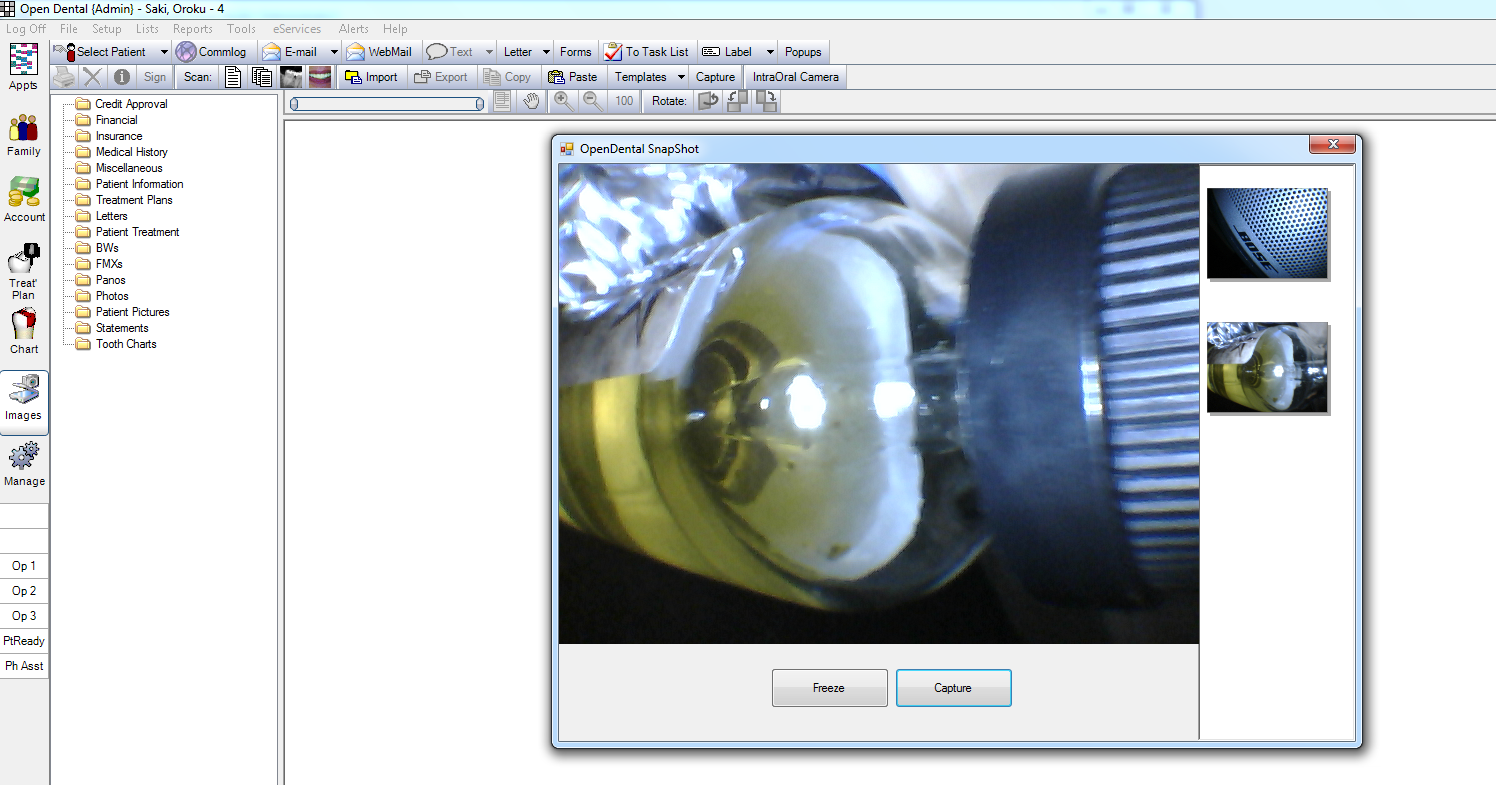
When you close the window, the images are automatically assigned to the Photo Category without prompts. And no I didn't hard code the category number. I also made the filenames random in the database and the files etc. I went off of the TigerView.cs file and the sample as a reference. Neat!
Around line: 2000 I would like to over ride Import to File but still use the Open File Dialog, I just want to automatically process the files selected:
private void ToolBarImport_Click() {
+if (Plugins.HookMethod(this, "ContrImages.ToolBarImport_Click", PatCur))
+{
+ FillDocList(true);
+ return;
+}
Around line:1692 I would like to over ride the Scan Photo Button to use the DirectShow\IOC Snapshot plugin
private void ToolBarScan_Click(string scanType) {
+if (scanType == "photo")
+ {
+ if (Plugins.HookMethod(this, "ContrImages.ToolBarScan_Click", PatCur))
+ {
+ FillDocList(true);
+ return;
+ }
+ }
Can you guys add that? I probably wouldn't need it except for.. FillDocList doesn't seem doable from my plugin dll file.. So.. this works? Thanks! All FillDocList does is refresh the list of documents\images in the Images Module.
When you close the window, the images are automatically assigned to the Photo Category without prompts. And no I didn't hard code the category number.
I also made the filenames random in the database and the files etc. I went off of the TigerView.cs file and the sample as a reference. Neat! I made it public just from OpenDental.. and I couldn't see it in my list of classes.. I dunno.