Page 1 of 1
Standard lab instructions
Posted: Sun May 18, 2014 9:52 pm
by aussiedentist
For all my crowns, i want to have.
"Bruxzir crown, 4 coats die spacer, very light in occlusion, no occlusal staining" etc
All i really want to ever do is to add a shade, and maybe some subtle directions
Is there any way i can do this easily?
Re: Standard lab instructions
Posted: Mon May 19, 2014 10:42 am
by bpcomp
Look into autonotes.
http://www.opendental.com/manual/autonotes.html
If that doesn't fit the bill then reply back and I'll offer another solution.
Re: Standard lab instructions
Posted: Mon May 19, 2014 3:06 pm
by Jorgebon
You could make a custom Labslip sheet with all those preferences.
Re: Standard lab instructions
Posted: Mon May 19, 2014 5:34 pm
by aussiedentist
Jorgebon wrote:You could make a custom Labslip sheet with all those preferences.
SOunds perfect, how do i do this?
cant figure it out myself!
Re: Standard lab instructions
Posted: Tue May 20, 2014 7:48 am
by bpcomp
Another option is to use AutoHotKey.
http://www.autohotkey.com/
All you need is a script that goes like this
Code: Select all
^l::
SentInput Bruxzir crown, 4 coats die spacer, very light in occlusion, no occlusal staining
return
When you load that script up then any time you hit the control key and the letter l, that text will be sent. I use shortcuts like this all the time. Another example is our date and time stamp. ---7:44 AM Tuesday, May 20, 2014--- and here is the code for that.
Code: Select all
^t::
FormatTime, TimeString
SendInput ---%TimeString%---
return
That is extremely useful for documenting when a note was added to an appt or any place that OpenDental doesn't track date and time.
Re: Standard lab instructions
Posted: Tue May 20, 2014 4:36 pm
by Jorgebon
aussiedentist wrote:Jorgebon wrote:You could make a custom Labslip sheet with all those preferences.
SOunds perfect, how do i do this?
cant figure it out myself!
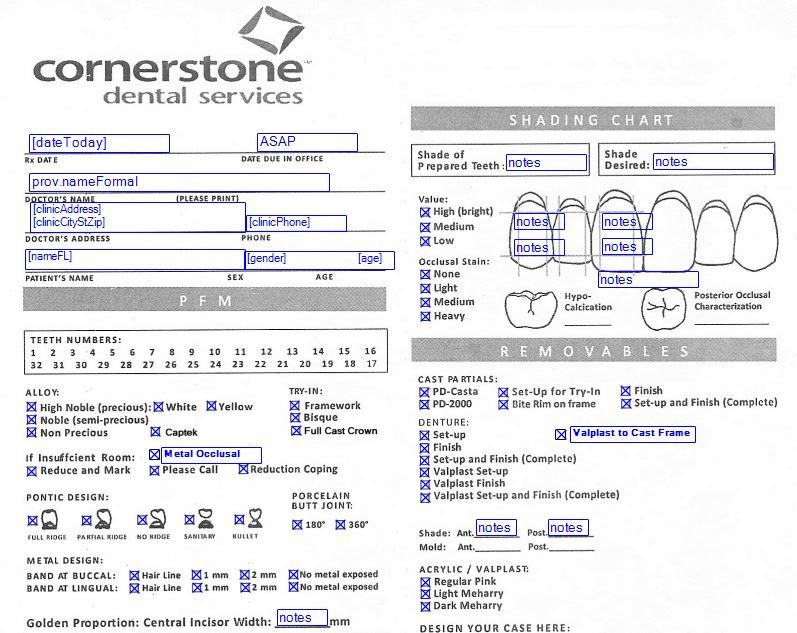
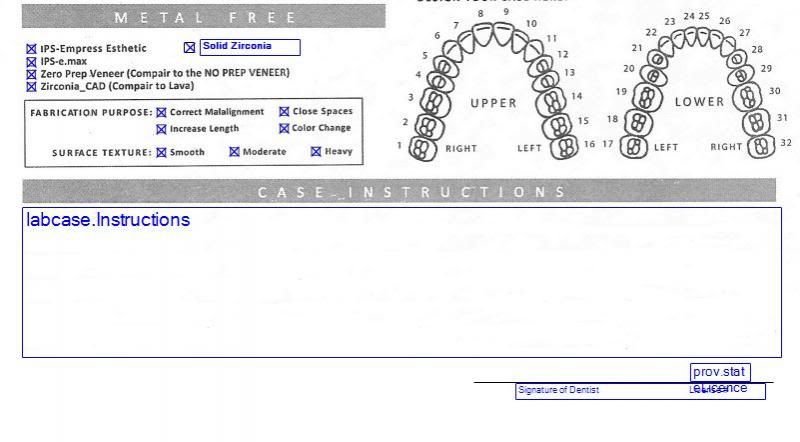
The easiest way is to scan an existing lab slip and then add the fields. Go to SETUP, then SHEETS. Select LabSlip on the left hand column and then click on COPY. This makes a copy and adds it to the column on the right hand side. You can edit the copy by double clicking on it. Here's an example of what I use:
Re: Standard lab instructions
Posted: Wed May 21, 2014 12:28 am
by aussiedentist
I have set up those in sheets, but how do i then fill them out?
I can see them under sheets, but i cant then fill them out, they are not under forms, or letters, or under lab cases. NOt sure where they are hiding!
Re: Standard lab instructions
Posted: Wed May 21, 2014 11:23 am
by Jorgebon
First, go to Setup/ Laboratories and enter the lab info and select the sheet you want to use with each lab. Then when you are ready to make a lab Rx for a patient, select Labcase (to the right of Rx icons). Then highlight the lab from the list and click New Slip.

